
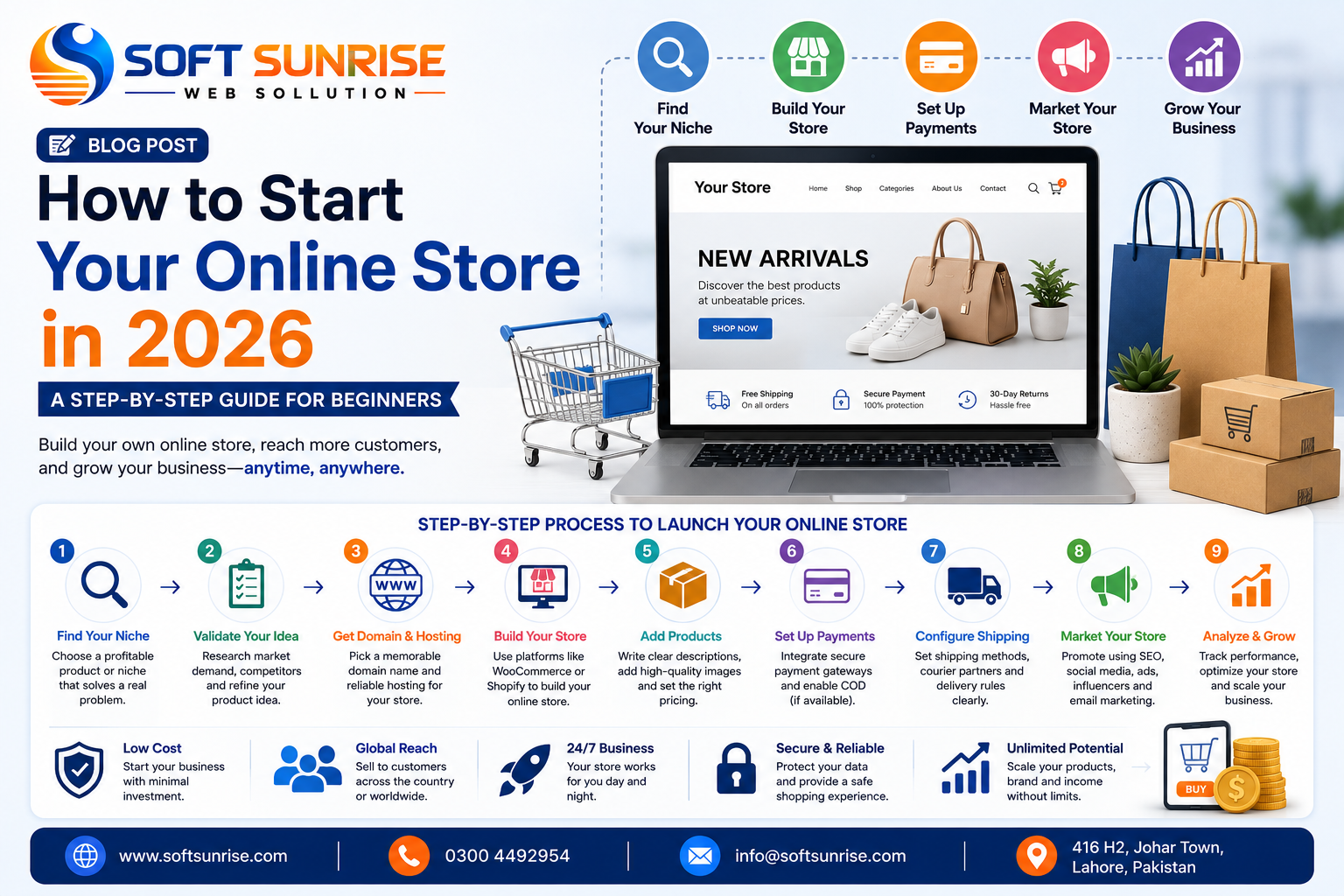
How to Start Your Online Store in 2026: A Beginner’s Guide
Starting an online store in 2026 is easier technically than it has ever been. Platforms such as WooCommerce and Shopify can get a store online quickly, AI can accelerate content creation, and digital payments and courier integrations make order processing easier.
But building an online store is not the same as building an online business.
The hard part is choosing a product people actually want, reaching the right customers, pricing profitably, delivering reliably, and convincing customers to buy from you instead of dozens of competitors.
This guide walks through the process from idea to first orders.
1. Choose What You’re Going to Sell
Don't start by buying hosting or designing a logo. Start with the product and customer.
You could sell physical products such as fashion, cosmetics, electronics accessories, home products, gifts, food, or eyewear; digital products such as templates, courses, software, and downloads; or services that can be purchased and booked online.
A simple question should guide your decision:
Who is my customer, what do they need, and why would they buy this product from me?
“Everyone” isn't a target customer.
2. Validate Demand Before Investing Heavily
One of the biggest beginner mistakes is investing heavily in inventory, packaging, branding, and a sophisticated website before establishing whether people actually want the product.
Research competitors, search demand, marketplace listings, social media discussions, customer reviews, pricing, and common complaints.
Better still, test your offer with a small inventory or controlled launch.
You want evidence of demand before scaling.
3. Decide on Your Business Model
Your store can operate in several ways.
| ModelHow It WorksSuitable For | ||
| Own Inventory | Purchase/store products and fulfill orders yourself | Greater control over quality and margins |
| Made to Order | Produce after receiving an order | Customized or low-volume products |
| Dropshipping | Supplier ships directly to customers | Testing products with lower inventory requirements |
| Private Label | Sell products manufactured under your brand | Building a long-term brand |
| Digital Products | Customers purchase downloadable products | Templates, software, courses, guides |
Dropshipping isn't automatically easy money. You still own the customer experience even if another company fulfills the order.
4. Calculate Your Real Profit Margin
Selling a product for Rs. 3,000 that costs Rs. 2,000 doesn't necessarily mean you make Rs. 1,000.
You may also have:
Product cost + Packaging + Courier + Payment fees + Advertising + Returns + Discounts + Website costs + Taxes/overheads
Calculate your economics before launching.
If you need Rs. 800 in advertising to generate a sale that produces Rs. 500 in gross profit, scaling the ads only scales the problem.
5. Choose Your Brand and Domain Name
Your brand should be:
- Easy to remember
- Easy to pronounce
- Easy to spell
- Relevant enough to your market
- Flexible enough for future expansion
Once you've selected the name, secure your domain.
For businesses primarily targeting Pakistan, a .pk or .com.pk domain can work well. A .com is also a strong choice, particularly if international expansion is part of the plan.
Avoid complicated names, unnecessary hyphens, and strange spellings that customers won't remember.
6. Choose Your E-Commerce Platform
For many small businesses, the practical decision comes down to WooCommerce vs Shopify.
WooCommerce
WooCommerce runs on WordPress and gives you substantial control over your website, hosting, design, plugins, SEO, and functionality.
It is particularly useful if you want:
Customization + Content + SEO + Ownership + Flexible integrations
But you're also responsible for maintaining the technical environment.
Shopify
Shopify provides an integrated hosted e-commerce platform.
It can be attractive when you want:
Simpler setup + Managed infrastructure + E-commerce-focused ecosystem
The trade-off is less infrastructure control and ongoing platform/app costs.
Don't choose a platform because someone says it's “the best.” Choose based on your business requirements.
7. Get Reliable Web Hosting
If you're using WooCommerce, hosting matters.
Cheap hosting may look attractive when starting, but an e-commerce store needs enough resources to handle:
- Product pages
- Database requests
- Customer accounts
- Cart operations
- Checkout
- Plugins
- Payment integrations
- Traffic spikes
Look for SSD/NVMe storage, SSL, backups, modern PHP support, caching, security, adequate CPU/RAM, and reliable technical support.
Your store needs to remain fast when customers are actually shopping, not only when you test the homepage.
8. Build the Essential Store Pages
Your store doesn't need 50 pages before launch.
Start with the pages customers actually need:
- Homepage
- Shop
- Product pages
- Categories
- Cart
- Checkout
- My Account
- About Us
- Contact Us
- Privacy Policy
- Terms & Conditions
- Shipping Policy
- Return/Refund Policy
- FAQ
Make contact details and important policies easy to find.
An online store with no company information, policies, or clear support channels immediately creates a trust problem.
9. Create Product Pages That Sell
Don't simply upload a supplier image and write:
Premium Quality Product – Best Price
That says almost nothing.
A good product page should answer the customer's questions before they need to ask them.
Include a clear product title, quality images, price, benefits, specifications, variations, sizing where applicable, delivery information, return conditions, stock status, and a prominent Add to Cart or Buy Now button.
Focus on benefits as well as specifications.
Instead of:
5000mAh Battery
Explain the benefit:
5000mAh battery designed to keep you powered throughout the day.
10. Use High-Quality Product Images
Customers cannot physically inspect your products online.
Your images are doing part of the salesperson's job.
Use consistent dimensions and backgrounds across product images. Show the product from several angles and include close-ups where details matter.
For fashion, eyewear, cosmetics, furniture, and lifestyle products, show the product in use, not only isolated against a white background.
AI can help create supporting lifestyle visuals, but don't use AI imagery that misrepresents what customers will actually receive.
11. Configure Payments
Payment options depend on your country, business setup, platform, and available payment providers.
For a Pakistan-focused store, your checkout strategy may include:
Cash on Delivery (COD) alongside supported digital or online payment options appropriate to your business.
Don't blindly enable every payment method available.
Evaluate:
Fees + Reliability + Settlement time + Customer preference + Integration quality
And make sure your checkout uses HTTPS.
12. Plan Shipping and Order Fulfillment
Your responsibility doesn't end when someone clicks Place Order.
Define the full process:
Order Received → Confirmation → Packing → Courier → Tracking → Delivery → Support
Set clear expectations about delivery time and shipping charges.
For COD businesses, order verification can also help reduce fake or low-intent orders, but don't create so much friction that genuine customers abandon the purchase.
13. Optimize Your Store for Mobile
Your customers may discover your products through Instagram, Facebook, TikTok, Google, or WhatsApp and open your store directly on their phones.
Your mobile store must therefore be excellent.
Test:
- Navigation
- Search
- Product images
- Product variations
- Add to Cart
- Cart
- Checkout
- Forms
- Payment process
- WhatsApp/contact buttons
A desktop-perfect website with a frustrating mobile checkout is unfinished.
14. Make Your Store Fast
Compress images, use appropriate image formats, enable caching, remove unnecessary plugins and scripts, use a CDN when appropriate, optimize your database, and choose quality hosting.
Don't obsess over a perfect speed-test score while ignoring real customer experience.
The objective is a store that feels fast and responds reliably throughout the shopping journey.
15. Set Up Analytics Before Advertising
Don't wait until you've spent money on ads to start collecting data.
Configure analytics and relevant advertising tracking before launch so you can understand actions such as:
Product View → Add to Cart → Checkout → Purchase
This becomes essential when running advertising campaigns because revenue alone doesn't explain where your funnel is failing.
16. Start Marketing Your Store
Publishing the website won't magically bring customers.
You need distribution.
Potential channels include:
SEO for long-term search visibility, Meta Ads for Facebook and Instagram acquisition, Google Ads for high-intent searches, social media content for awareness, email/WhatsApp for retention, and influencer collaborations where they make commercial sense.
Don't try to dominate every channel on day one.
Start with the channels where your customers already spend their time.
17. Don't Run Ads Before Your Store Is Ready
This is where businesses burn money.
Before spending heavily on ads, check the entire purchase journey yourself.
Visit the store from a mobile phone, open the advertised product, select a variation, add it to the cart, complete checkout, verify the order notification, and confirm tracking is working correctly.
Advertising amplifies what already exists.
Good store + Advertising = Opportunity to scale
Broken store + Advertising = Faster waste of money
18. Build Customer Trust
New stores have a disadvantage: customers don't know whether they can trust them.
Reduce uncertainty through genuine reviews, clear contact details, professional branding, HTTPS, transparent shipping information, clear returns, accurate product descriptions, responsive support, and authentic social media activity.
Never fabricate reviews. Short-term deception can destroy a brand you're trying to build for years.
19. Focus on Repeat Customers
Your first sale shouldn't be the end of the relationship.
If someone had a good experience, give them reasons to return.
You can use:
- New-product announcements
- Personalized recommendations
- Loyalty incentives
- Useful email content
- WhatsApp updates with consent
- Retargeting
- Bundles
- Seasonal campaigns
Acquiring customers repeatedly from scratch can become expensive. Retention makes the economics of an online store much stronger.
20. Measure, Improve and Scale
After launch, track what is actually happening.
Look at:
Traffic → Product Views → Add-to-Cart Rate → Checkout Rate → Conversion Rate → Average Order Value → Customer Acquisition Cost → Return/Refund Rate → Repeat Purchases
If sales are poor, don't immediately increase the advertising budget.
Find the bottleneck.
Lots of traffic but few product views could mean poor targeting or navigation. Product views without cart additions can point to the offer, price, trust, or product presentation. Checkout abandonment may indicate shipping costs, payment problems, technical issues, or friction.
Fix the problem before scaling it.
How Much Does It Cost to Start an Online Store?
There is no useful universal number.
A small WooCommerce store might require a domain, hosting, website development, product photography, packaging, payment setup, and marketing. A private-label business may require substantially more because inventory and branding become major expenses.
Instead of asking:
“What is the minimum amount I can spend?”
Ask:
“What is the minimum viable setup that can professionally sell and deliver my product?”
Cheap and viable are not the same thing.
A Simple 2026 Launch Checklist
Before launching, make sure your product has validated demand, pricing leaves room for real costs, the domain and brand are secured, your store works well on mobile, SSL and backups are active, product information is complete, shipping and returns are clear, checkout works from start to finish, analytics and ad tracking are configured, and you have a plan for getting the first customers.
Then launch.
Don't spend six months changing fonts and banners while avoiding the uncomfortable part: getting customers to pay for the product.
Conclusion
Starting an online store in 2026 is technically accessible. Building one that makes money remains a real business challenge.
The businesses with the strongest chance of succeeding won't necessarily have the fanciest websites. They will have a desirable product, sensible margins, a trustworthy buying experience, reliable fulfillment, effective marketing, and the discipline to improve based on actual customer behavior.
The process is straightforward:
Find Demand → Choose Product → Calculate Margins → Build Store → Set Up Payments & Delivery → Test → Market → Measure → Improve → Scale
Your website is the infrastructure.
The business is everything that makes customers choose it, buy from it, receive what they expected, and come back again.
Comments (0)
Leave a Comment